
Overview
Modern applications frequently require document, image, audio, or video format conversion. Whether it’s converting DOCX to PDF, resizing images, or transcoding video formats, businesses need a scalable and reliable solution.
Instead of building heavy format logic into every application, many companies rely on cloud-based file conversion platforms. In this article, we’ll design a distributed, scalable file conversion system similar to CloudConvert and explore its architecture, high-level design, and scalability strategy.
Problem Statement
How do we design a cloud-native system that:
- Supports multiple file formats
- Handles high concurrency
- Processes large files efficiently
- Is secure and multi-tenant ready
- Exposes REST APIs for automation
The system must process conversions asynchronously, scale horizontally, and isolate workloads safely.
High Level Architecture
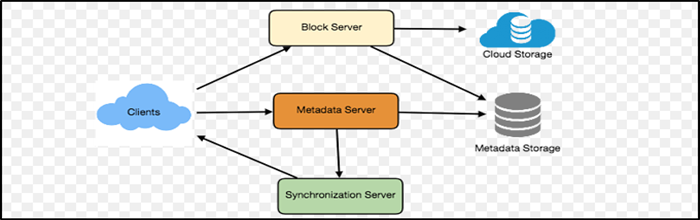
Below is a simplified architecture diagram

Architecture Layers Explained
3.1 Client Layer Supports:
- Web UI
- REST API
- SDK integrations
Responsibilities:
- File selection
- Job creation
- Polling job status
- Receiving webhook callbacks
3.2 API Gateway Layer
Responsibilities:
- Authentication (API key / JWT)
- Rate limiting
- Request validation
- Logging and monitoring
- Routing to backend services
This layer protects the system from abuse and ensures fair usage.
3.3 Upload & Storage Layer
Instead of directly processing files:
- Generate a pre-signed upload URL
- Store file in object storage
- Save metadata in database
- Create conversion job
Why object storage?
- Highly scalable
- Cost-effective
- Durable
- Ideal for large binary files
3.4 Job & Queue Layer
After upload:
- A job record is created
- Job pushed into a message queue
- Worker services consume jobs asynchronously
Why use a queue?
- Decouples ingestion from processing
- Prevents system overload
- Enables horizontal scaling
- Improves fault tolerance
3.5 Conversion Worker Layer
Workers are:
- Containerized (Docker-based)
- Stateless
- Auto-scalable
We typically separate workers by workload type:
- Document Worker (DOCX, PDF, ODT)
- Image Worker (PNG, JPG, WebP)
- Video Worker (MP4, AVI, MOV)
Each worker:
- Pulls job from queue
- Downloads file from storage
- Runs conversion engine
- Uploads output file
- Updates job status
3.6 Output & Delivery Layer
After successful conversion:
- Output stored in object storage
- Signed URL generated
- Job status updated to COMPLETED
- Optional webhook triggered
Signed URLs ensure:
- Temporary access
- Secure download
- No direct public exposure
4. High-Level Design (HLD)
4.1 Functional Requirements
The system must:
- Accept file uploads
- Convert file to requested format
- Provide download link
- Track job status
- Support webhook callbacks
- Enforce user quotas
4.2 Non-Functional Requirements
| Requirement | Target |
|---|---|
| Scalability | 10K+ concurrent jobs |
| Availability | 99.9% |
| Performance | <5 sec for documents |
| Security | Encrypted storage |
| Isolation | Multi-tenant ready |
4.3 Core Services
API Service
- Stateless
- Handles job creation
- Returns job ID
File Service
- Generates upload URL
- Validates file format
- Stores metadata
Job Service
Maintains job lifecycle:
UPLOADED
QUEUED
PROCESSING
COMPLETED
FAILED
EXPIRED
Conversion Service
- Runs format engine
- Isolated container execution
- Handles retries
Notification Service
- Sends webhook
- Sends optional email
5. Data Model (Simplified)
Users
- id
- api_key
- plan_type
- quota_limit
Files
- id
- user_id
- input_format
- output_format
- file_size
- status
- storage_path
Jobs
- id
- file_id
- worker_type
- retries
- started_at
- completed_at
6. Conversion Flow (End-to-End)
- User uploads file
- File stored in object storage
- Job created and pushed to queue
- Worker consumes job
- File converted
- Output stored
- Status updated
- Signed URL returned
This asynchronous model ensures high throughput and reliability.
7. Scalability Strategy
Horizontal Scaling
- Increase worker replicas
- Scale based on queue depth
Workload-Based Scaling
- Video workers → High memory
- Document workers → Lightweight
Priority Processing
- Premium users → Dedicated queue
8. Security Considerations
A file conversion system is a potential attack surface.
Important protections include:
- HTTPS everywhere
- Virus scanning before processing
- File size limits
- Sandboxed containers
- Signed download URLs
- Rate limiting per API key
Each conversion should run in isolation to prevent malicious file execution risks.
9. Observability & Monitoring
Key metrics to track:
- Average conversion time
- P95 latency
- Worker CPU usage
- Queue backlog size
- Failure rate
- Cost per conversion
Monitoring ensures performance stability and cost control.
10. Key Design Decisions
Why Asynchronous Processing?
File conversions can be CPU-intensive. Async prevents blocking and improves throughput.
Why Containerized Workers?
Ensures isolation, scalability, and easy deployment.
Why Object Storage?
Optimized for large binary objects.
Why Queue-Based Architecture?
Improves resilience and decoupling.
11. Conclusion
Designing a scalable file conversion platform requires careful separation of concerns:
- Ingestion
- Storage
- Job management
- Delivery
- Processing
By combining object storage, message queues, containerized workers, and asynchronous processing, we can build a production-grade, cloud-native file conversion system capable of handling thousands of concurrent requests.
This architecture balances scalability, cost-efficiency, and security — making it suitable for SaaS platforms, enterprise applications, and developer APIs alike.